


Jackery
Jackery HomePower 1000 Plus v2 Portable Power Station
Jackery HomePower 1000 Plus v2 Portable Power Station
Couldn't load pickup availability
-
Craze Outdoors Advantage
- 5 - Star Google Reviews
- Free Shipping Over $100
- Same day shipping
- 30 Day Price Match
- Easy 30 Day Returns
The same three jobs as the HomePower 1000 v2 — home backup, car camping, and professional use — with more power and room to grow. The Plus v2 delivers a more powerful 1800W inverter (3600W peak), enough to run a home office through an extended outage, a 12V fridge and a hot plate at camp, or job-site tools on location. And when your needs outgrow a single battery, expand from 1024Wh up to 11kWh with add-on packs instead of buying a second unit.
Why You'll Love This
Why You'll Love This
Detailed Specifications
Detailed Specifications
What's Included
What's Included
Warranty
Warranty


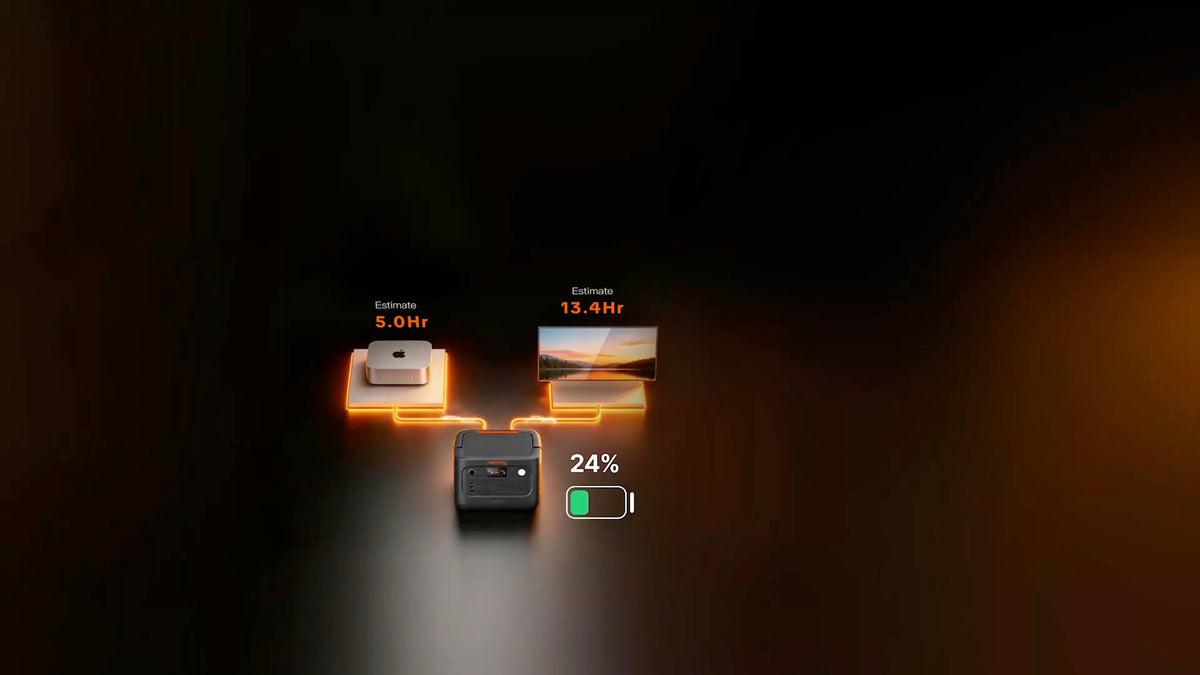
Input Your Appliances Wattage
Note: This is a calculation for reference only. Actual runtime varies with real-world use. Duty cycle significantly impacts the runtime estimate for devices like refrigerators, sump pumps, and other devices that don't draw power at a constant rate — presets for these use an average power draw (based on daily energy use) rather than their peak/label wattage.

7 Reasons to Choose the Jackery HomePower 1000 Plus v2


Comparing the HomePower 1000 V2 and 1000 V2 Plus

Expansion—From 1-11 kWh
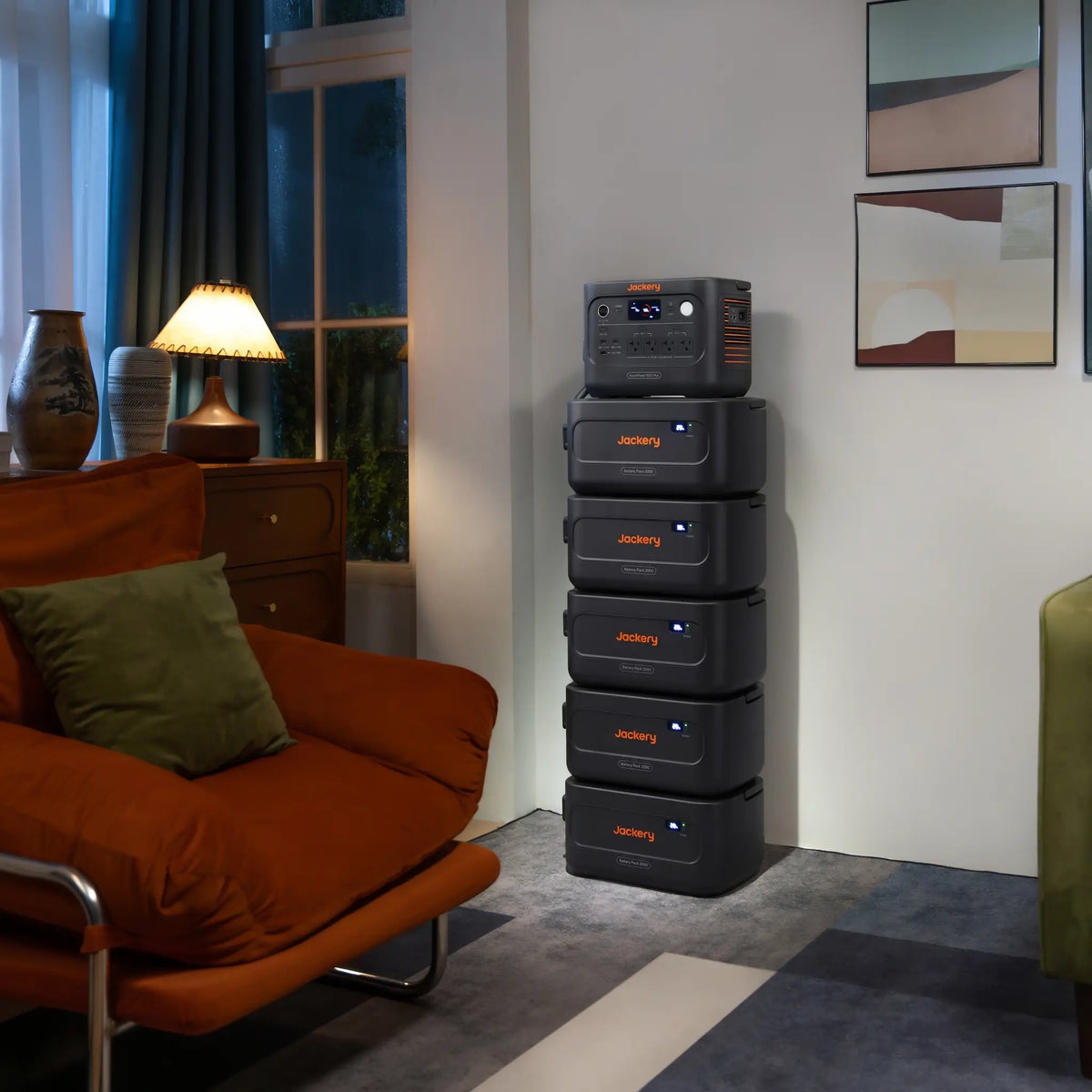
Start with the main unit and expand when you need more power. With 1,024 Wh of capacity, it's ideal for camping trips or overnight outages. Add up to five expansion batteries, each providing an additional 2 kWh, for a maximum capacity of 11 kWh—enough to keep essentials like your refrigerator, lights, and communication devices running for approximately 2–4 days.
-

Camping
Keep your fridge, headlamp, and essentials running.
-

Emergencies & Home Backup
Keep your sump pump, freezer, and phones online.
-

Off-Grid Power Supply
Run your starlink, power your laptop, or keep pumps running


Handles Any Outage with Ease
Power outages are becoming more common due to hurricanes, winter storms, wildfires, heatwaves, and aging power grids. HomePower keeps your essential devices running when the grid goes down.


Power Wherever You Work
-

Production Sites
From remote locations and off-grid sets, reliable power isn't always within reach. HomePower keeps cameras, monitors, LED lights, and other essential production equipment running wherever the shoot takes you.
-

Job Sites
Whether you're working in a new build without utility power or tackling projects in remote locations, the 1800W rated output powers compact tools like drills, hammer drills, and angle grinders—while simultaneously charging cordless tool batteries.
-

Events and Markets
Whether you're setting up a temporary command post or working in a location without grid power, HomePower keeps essential equipment running—from radios and lighting to heating devices and mobile phones.


Powered by Premium LiFePO₄ Battery Cells
Built with premium LiFePO₄ battery cells , one of the world's leading battery manufacturers and a trusted supplier to global automotive and energy storage brands.

Control Your Power from Anywhere
-

Power Monitoring
Monitor battery status in real time.
-

Time-of-Use (TOU) Mode
Automatically charge during off-peak hours to help reduce electricity costs.
-

Smart Load Prioritization
Reserve power for your most important devices.


Jackery Priority Routing™
Set your priority and battery threshold — when the battery hits your set level, it automatically shuts down less critical devices and keeps your essentials running longer.

5 Ways to Recharge 1000 Plus v2
-

Wall Charging
Fully charged in as little as 50 minutes.
-

Solar Charging
Full solar charge in a few hours with SolarSaga panels.
-

Generator Charging
Pair with a generator for extended backup.
-

Car Charging
Top up on the road via a 12V car outlet.


FAQ
What can the HomePower 1000 Plus V2 power?
Everyday essentials and high-draw tools. It has 1,800W of continuous output across four AC outlets, enough for a coffee maker, power tools, or your fridge and router during an outage.
A 3,600W surge rating handles the startup spike from fridge compressors and motors.
Jackery estimates a full charge can run a standard fridge for up to 19 hours.¹ Keep the combined running wattage of everything plugged in under 1,800W.
What is Jackery Priority Routing™?
It lets you decide which devices keep power the longest. The four AC outlets are split into two circuits. In the Jackery app, you assign your essentials to the priority circuit and set a battery cut-off level for the other. When the battery reaches that level, or the unit is overloaded, the non-priority circuit shuts off automatically so your key devices (such as fridge or a router) keep running longer.
Is Priority Routing the same as UPS mode?
No — they solve different problems. UPS mode handles the start of an outage, switching to battery power in milliseconds so connected devices never notice the grid went down. Priority Routing handles the end of a long outage, managing what stays powered as the battery gets low.
How does the built-in UPS work?
Keep the unit plugged into the wall with your devices plugged into it. If grid power drops, it switches them to battery in 10 milliseconds or less,² so desktops, routers, and fridges keep running without restarting. Built-in 3kV/1,000J surge protection also helps shield connected electronics from power spikes. When you're using it as a UPS, keep Energy Saving Mode turned off.
Do I need the Jackery app to use it?
No. It works as a power station right out of the box, and the buttons on the unit control the outputs, Emergency Charging Mode (hold POWER + LIGHT for 1 second), and Energy Saving Mode (hold POWER + AC 1 for 3 seconds). The Jackery app connects over Bluetooth or 2.4 GHz Wi-Fi and adds Jackery Priority Routing™, adjustable standby and Energy Saving Mode timers, and remote monitoring.
What is Time-of-Use Mode, and can it lower my power bill?
If your utility charges different electricity rates at different times of day, TOU Mode automatically charges the unit during cheaper off-peak hours. You can then run your devices from the battery during more expensive peak hours. How much you save depends on your utility's rate plan.³ Time-of-use pricing isn't offered everywhere in Canada, so check with your utility to see whether it applies to you.
What is Energy Saving Mode, and when should I use it?
It's an optional setting that stops the battery from draining when you forget to turn the outputs off. Once you turn it on, the unit shuts off any output that has nothing connected, or that draws less than 25W on AC or 2W on DC/USB, for the set period. You can adjust that timer in the Jackery app. If you're using the unit as a UPS or running low-power devices like a modem overnight, leave it off.
How fast does it recharge, and what is Emergency Charging Mode?
Standard AC charging reaches 80% in about 36 minutes and a full charge in about 75.⁴ When you need it ready fast, like before an incoming storm, turn on Emergency Charging Mode in the Jackery app to reach a full charge in about 50 minutes.⁴ It isn't recommended for daily use, so stick with standard charging day to day.
Can I charge it with solar panels or from my vehicle?
Yes to both. The two DC inputs accept up to 400W of solar power, enough to fully recharge the unit in as little as 2 hours and 43 minutes in ideal sun.⁵ The same inputs support DC-to-DC alternator charging at up to 400W while you drive, or up to 120W with the Jackery 12V car charging cable (sold separately).
Can I add more battery capacity later?
Yes. You can start with the main unit and add up to five Jackery Battery Pack 2000 Plus V2 expansion batteries as your needs grow, for a total of roughly 11kWh. Adding batteries extends how long you can run your devices. It doesn't raise the 1,800W output limit.
Can I use it in cold weather?
Yes, within its rated range. It can charge and run between -10°C and 45°C (14°F to 113°F). When temperatures drop below -10°C, keep it somewhere warmer, like inside your home or a heated vehicle, and let it return to that range before charging or using it again.
How long will the battery last over its lifetime?
It uses LiFePO4 (lithium iron phosphate) cells rated to keep at least 70% of their original capacity after 6,000 full charge cycles. That works out to many years of regular use.⁶
How should I store it when I'm not using it?
Whether it's between camping seasons or waiting for the next outage, don't store it with the battery drained. Left empty for 3 to 6 months, it may stop accepting a charge. Check and recharge it every three months, and run one full charge and discharge cycle at least once every 6 to 12 months to keep the battery healthy.
How long is the warranty on this device?