


Jackery
Jackery HomePower 1000 v2 Portable Power Station
Jackery HomePower 1000 v2 Portable Power Station
Couldn't load pickup availability
-
Craze Outdoors Advantage
- 5 - Star Google Reviews
- Free Shipping Over $100
- Same day shipping
- 30 Day Price Match
- Easy 30 Day Returns
One power station, three jobs: home backup, car camping, and reliable power for work. The HomePower 1000 v2 delivers 1024Wh of capacity and 1500W of output with a sub-10ms switchover — fast enough to protect a home office setup during an outage, run a 12V fridge and charge phones on an camping trip, or keep sensitive equipment powered on a job site. Built-in 3kV surge protection and smart Priority Routing let you decide what stays powered longest when the battery runs low, wherever you're using it.
Why You'll Love This
Why You'll Love This
Detailed Specifications
Detailed Specifications
What's Included
What's Included
Warranty
Warranty



Input Your Appliances Wattage
Note: This is a calculation for reference only. Actual runtime varies with real-world use. Duty cycle significantly impacts the runtime estimate for devices like refrigerators, sump pumps, and other devices that don't draw power at a constant rate — presets for these use an average power draw (based on daily energy use) rather than their peak/label wattage.

Pro-Grade Uninterruptible Power Supply


Pro-Grade UPS Performance, Reimagined for Home
Backup that outlasts any UPS — 1024Wh capacity, 1500W output, and sub-10ms switchover keep your essentials running through any outage.


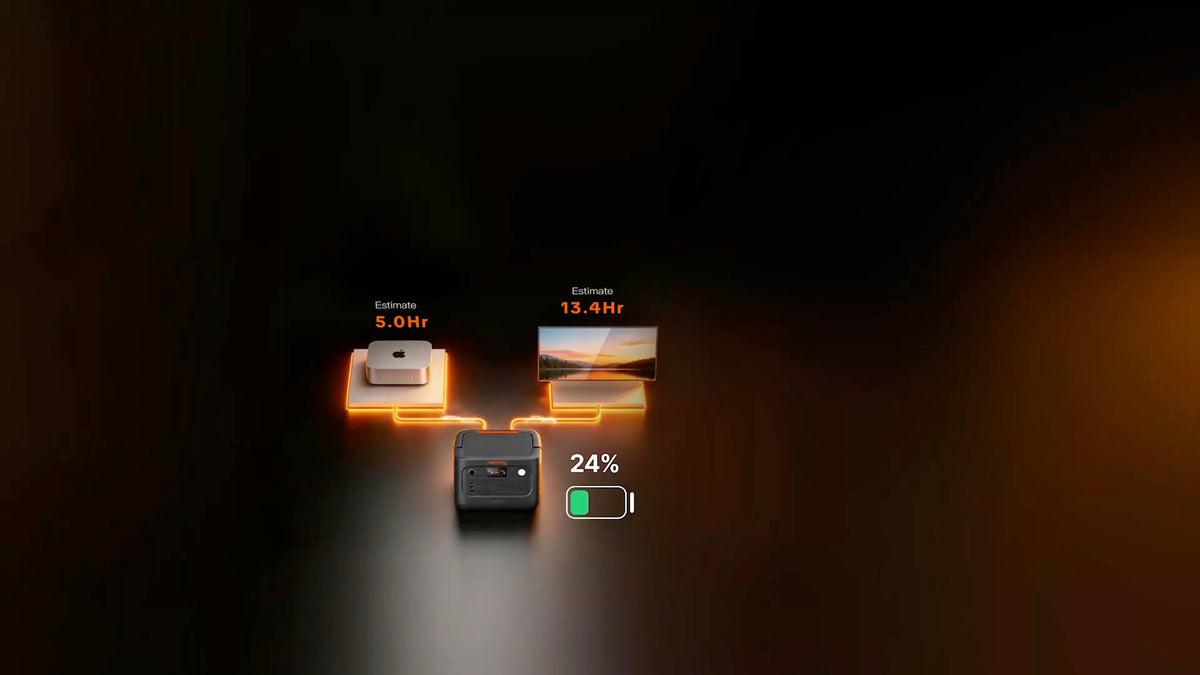
Jackery Priority Routing™
Set your priority and battery threshold — when the battery hits your set level, it automatically shuts down less critical devices and keeps your essentials running longer.


Power Your Priorities
-

3D Printing
Keep long prints running safely through a power blip.
-

Data Center
Protect sensitive equipment from sudden shutdowns.
-

Emergency Food Storage
Keep the fridge running when the grid goes down.


Ready for the Outdoors


5 Ways to Recharge 1000 v2
-

Wall Charging
Fully charged in as little as 50 minutes.
-

Solar Charging
Full solar charge in a few hours with SolarSaga panels.
-

Generator Charging
Pair with a generator for extended backup.
-

Car Charging
Top up on the road via a 12V car outlet.


FAQ
What can the HomePower 1000 V2 power?
Home and office essentials, with 1,500W of continuous output across three AC outlets. That's enough for a fridge, router, desktop PC, or small kitchen appliances.
A 3,000W surge rating handles the brief startup spike from fridge compressors and motors.
To avoid overloading it, keep the combined running wattage of everything plugged in under 1,500W.
What is Jackery Priority Routing™?
It lets you choose which devices keep power the longest. The three AC outlets are split into two circuits: AC 2 controls two outlets and AC 1 controls one. In the Jackery app, you assign your essentials to the priority circuit and set a battery cut-off level. When the battery reaches that level, or the unit is overloaded, the non-priority circuit shuts off automatically so your key devices (such as fridge or a router) keep running longer.
How does the built-in UPS work?
Keep the unit plugged into the wall with your devices plugged into it. If grid power drops, it switches them to battery in 10 milliseconds or less,¹ so computers, routers, and fridges stay on without restarting. While it's plugged in, output is capped at 12A until an outage hits. Built-in 3kV surge and lightning protection helps shield your electronics. Before using it as a UPS, turn off Energy Saving Mode.
Do I need the Jackery app to use it?
No. It works as a power station right out of the box, and the buttons on the unit control the outputs, Emergency Charging Mode (hold POWER + LIGHT for 1 second), and Energy Saving Mode (hold POWER + AC 1 for 3 seconds). The Jackery app connects over Bluetooth or 2.4 GHz Wi-Fi and adds Jackery Priority Routing™, Time-of-Use Mode, Charging Plan, Self-powered Mode, Quiet Charging Mode, Battery Saving Mode, and remote monitoring.
Why did my outputs turn off on their own?
That's Energy Saving Mode, which is on by default so the battery doesn't drain if you forget to switch the outputs off. Any output with nothing connected, or drawing less than 25W on AC or 2W on DC/USB, shuts off after 12 hours. To turn it off, use the Jackery app or hold POWER + AC 1 for 3 seconds. Keep it off for UPS use or for low-power devices running overnight.
How fast does it recharge, and what is Emergency Charging Mode?
Standard AC charging reaches a full charge in about 75 minutes.² When you need it ready fast, like before an incoming storm, turn on Emergency Charging Mode in the Jackery app, or by holding POWER + LIGHT for 1 second, to reach full in about 50 minutes.² It isn't recommended for daily use, so stick with standard charging day to day.
Can I charge it with solar panels or from my vehicle?
Yes to both. The two DC inputs accept up to 400W of solar power, enough to fully recharge the unit in as little as 2 hours and 43 minutes in ideal sun.⁵ The same inputs support DC-to-DC alternator charging at up to 400W while you drive, or up to 120W with the Jackery 12V car charging cable (sold separately).
Can I add more battery capacity later?
No. The HomePower 1000 V2 has a fixed 1,024Wh battery. If you think you'll want more runtime down the road, the HomePower 1000 Plus V2 starts at the same capacity and expands to roughly 11kWh with add-on batteries.
Can I use it in cold weather?
Yes, within its rated range. It can charge and run between -10°C and 45°C (14°F to 113°F). When temperatures drop below -10°C, keep it somewhere warmer, like inside your home or a heated vehicle, and let it return to that range before charging or using it again.
How long will the battery last over its lifetime?
It uses LiFePO4 (lithium iron phosphate) cells rated to keep at least 70% of their original capacity after 6,000 full charge cycles. That works out to many years of regular use.³
How should I store it when I'm not using it?
Whether it's between camping seasons or waiting for the next outage, don't store it with the battery drained. Left empty for 3 to 6 months, it may stop accepting a charge. Check and recharge it every three months, and run one full charge and discharge cycle at least once every 6 to 12 months to keep the battery healthy.
How long is the warranty on this device?